> ## Documentation Index
> Fetch the complete documentation index at: https://blockscout-vb-microservices-new-envs.mintlify.site/llms.txt
> Use this file to discover all available pages before exploring further.
# Watch list
*The following example is created using the *[*Optimism Blockscout instance*](https://optimism.blockscout.com/)*.*
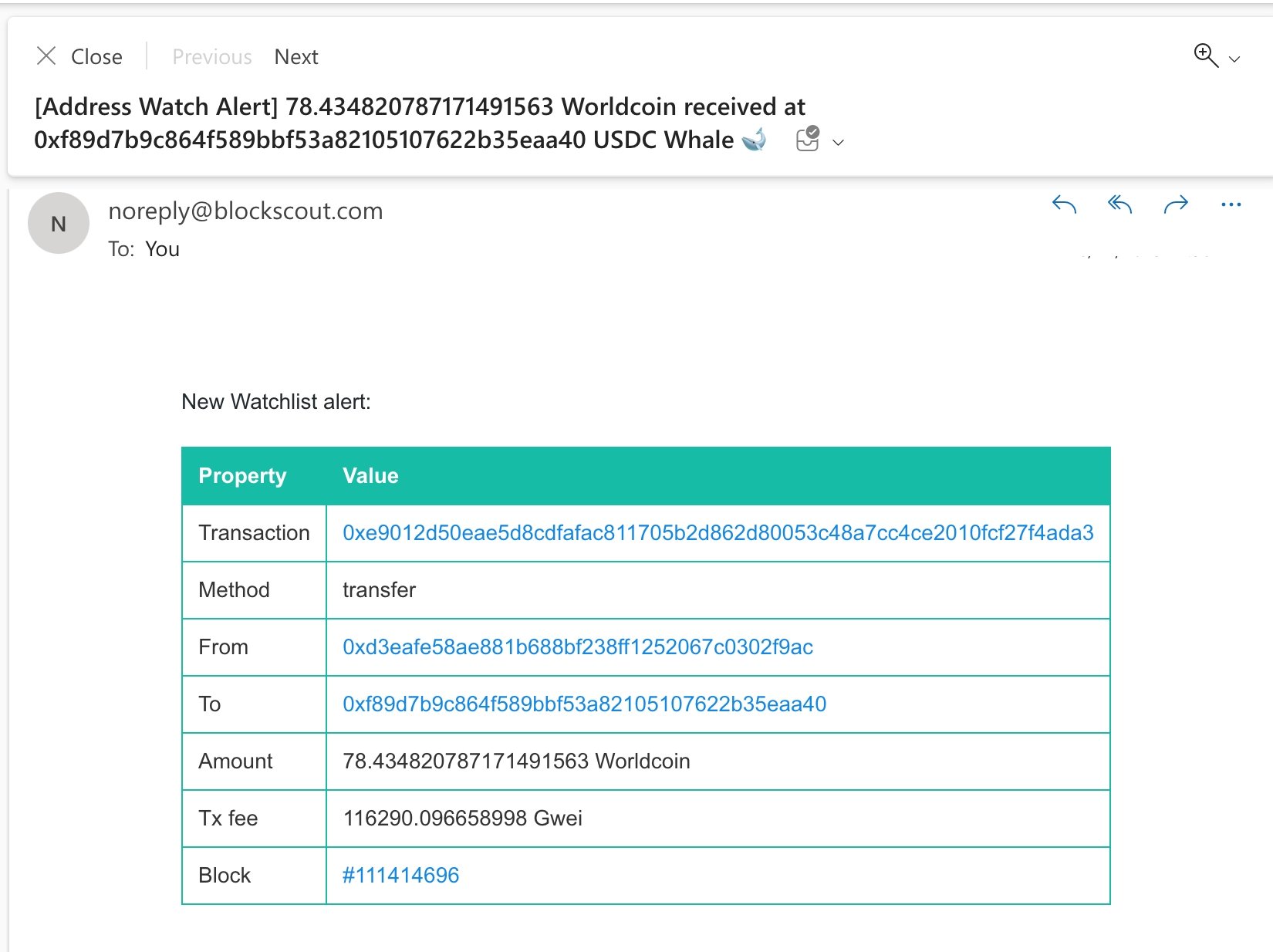
Sign up for email notifications for different actions related to an EOA or contract address. This can include incoming/outgoing transactions for native tokens, ERC-20 tokens or NFTs like ERC-721 and ERC-1155s.
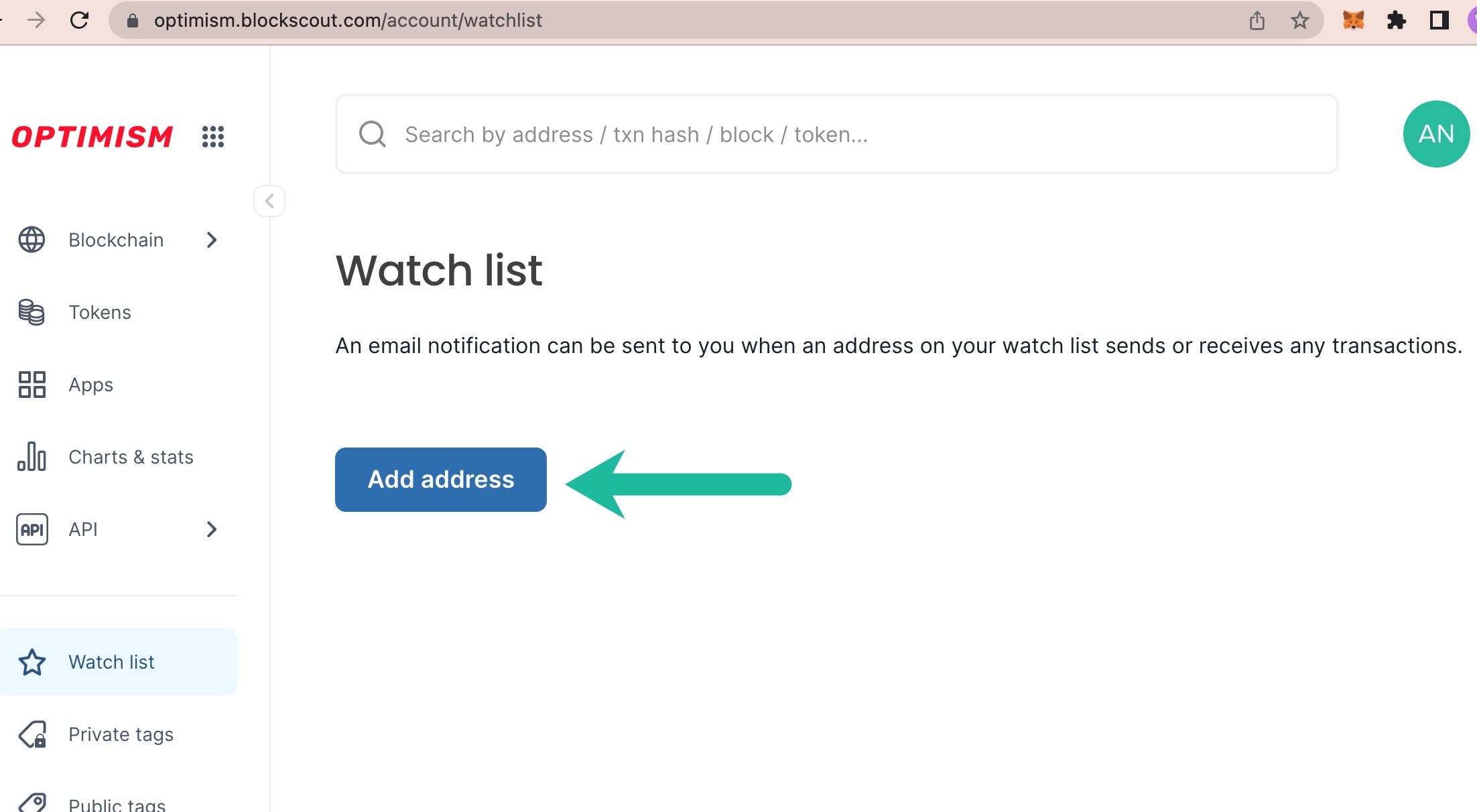
1\) **Login to My Account in Blockscout** \<[*login instructions*](/using-blockscout/my-account)>. From the Watchlist menu click Add address.
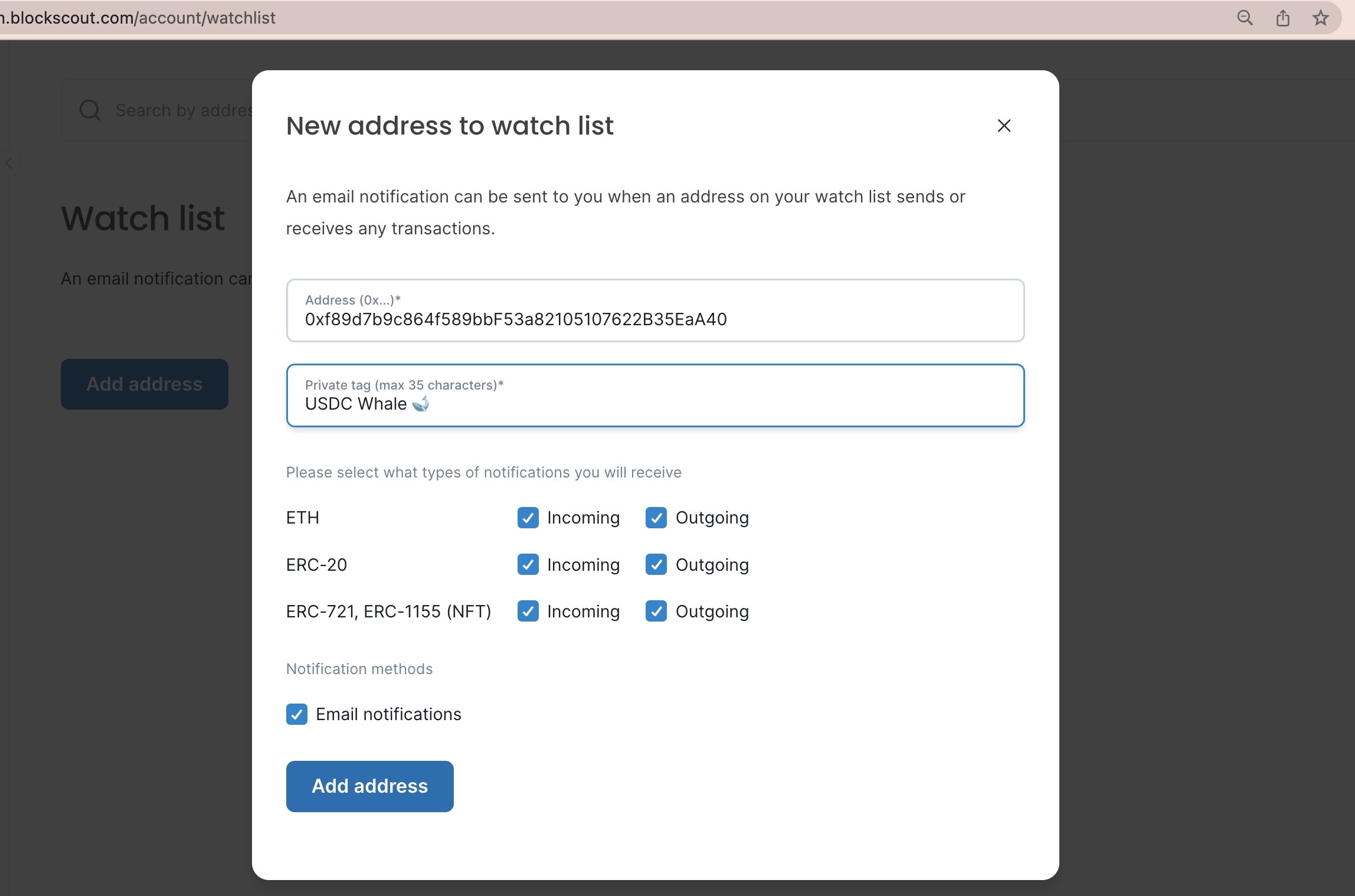
 2\) **Fill in information** including:
* **Address**: 0x address of the EOA or contract to watch.
* **Private tag**: For your reference, will be displayed as a private tag for your Blockscout instance when you are logged in (emoji's accepted 🙂)
* **Notification types**: Select which types of transactions you would like to receive email notifications for. These include native tokens (in this case ETH), ERC-20 tokens, and NFT tokens.
* **Email Notifications**: Select to receive.
* **Add address**: Click button to add to your watchlist.
2\) **Fill in information** including:
* **Address**: 0x address of the EOA or contract to watch.
* **Private tag**: For your reference, will be displayed as a private tag for your Blockscout instance when you are logged in (emoji's accepted 🙂)
* **Notification types**: Select which types of transactions you would like to receive email notifications for. These include native tokens (in this case ETH), ERC-20 tokens, and NFT tokens.
* **Email Notifications**: Select to receive.
* **Add address**: Click button to add to your watchlist.
 3\) A new address along with an info overview will be added to your watchlist dashboard. You can edit info, remove, or add more items.
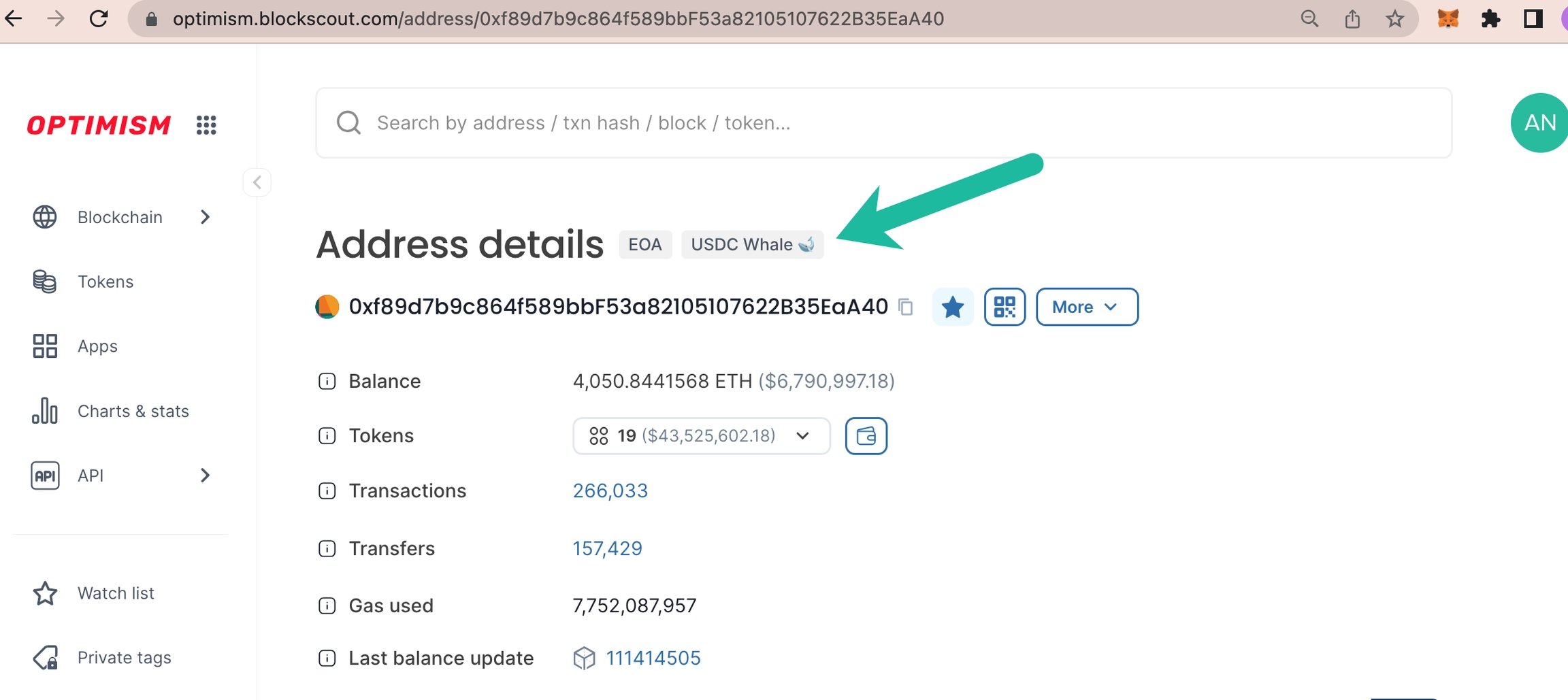
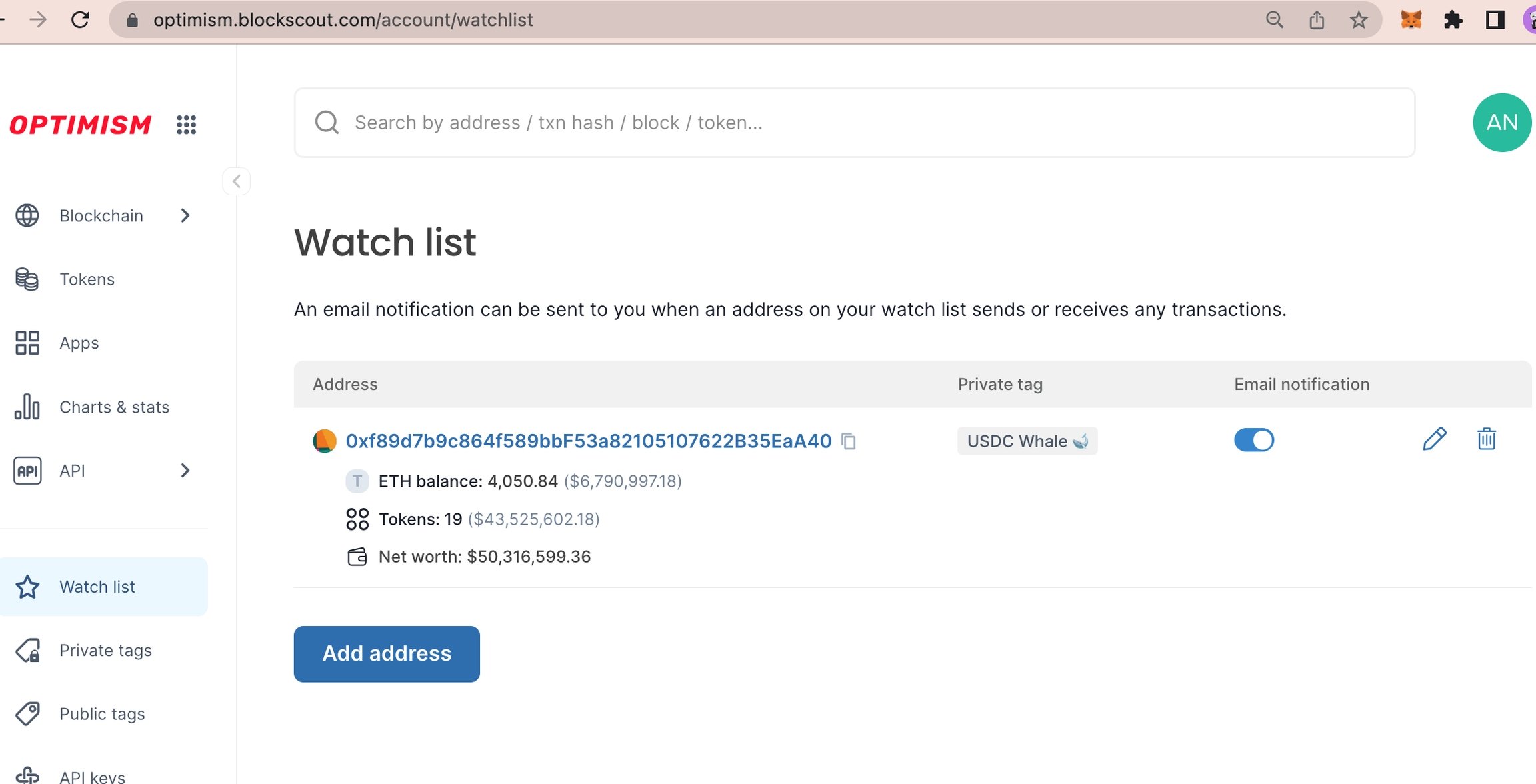 4\) Click the address to view in the Blockscout console. Watch list addresses show the private tag when logged into My Account.
 5\) If selected, you will receive emails based on actions completed by this address.